
Kanban Salesforce for the Objects Which Doesn’t Have Picklist Values

Salesforce – How to Prevent Auto-Reply for an Email to case in Salesforce ?
January 21, 2019
Changing Case Owner Assignment Email Template in Salesforce
January 21, 2019Problem Description of Kanban Salesforce :
Salesforce users cannot create Kanban salesforce views on formula fields.
Challenges to User/Developer :
A workaround is to create a picklist field that imitates the formula field.
Solution :
Add the new picklist field on your Account page layout before selecting the field as a “Group By” option under Kanban Settings.
Considerations for Using Kanban In Salesforce
Approach :
Create a Picklist field that holds all formula field values.
Technical Solution :
When a Kanban view has to be created based on a formula field, Create a picklist with all possible values of the formula field and hide it from all users using the “Set Field-Level Security”. Make sure the picklist field is placed in the page layout.
Now, create a time-based workflow that automatically updates the picklist value depending on the formula field.
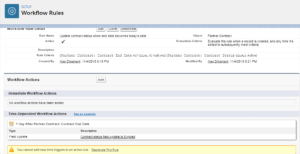
You can now create a Kanban view based on this picklist field
Advantage :
Easy to implement, easy to migrate, Kanban view is indirectly based on formula field.
the Kanban system as a way to manage work, including Flexibility. Focus on continuous delivery. Reduction of wasted work / wasted time. Increased productivity.
Issues :
Every formula field which should have a Kanban view associated with it must have a picklist field.
Conclusion :
Using this workaround, Kanban can be set up for formula fields.
